new-mac
| Name | Last commit date |
|---|---|
| README.md |
⚠️ Might not be updated as to its Notion page counterpart. Open Notion page
New Mac
New mac, who dis
Bunch of checklists to do when setting up a new Mac. There must be a way to automate this; I just had to work on what I have to make the setting up happen.
Wallpaper from Daniil Silantev via Unsplash
S E C T I O N S
Applications
First things first
- Google Chrome: web browser. If don't like Chrome, get Firefox
- Vimium: enables Vim key strokes in browser
- Pocket: save-later app
- Pushbullet: push notifications, links, and files from your phone to your browser and vice-versa
- ColorZilla: color picker
- WhatFont: font inspector ✨Highly recommended
- Grammarly: powerful grammar and spelling checker
- ImageSize Info: checks image's size, width, and height on browser
- Fireshot: takes screenshots of your browser
- Images under cursor: get the images and background under the cursor, in URL or file
- New wallpaper from Unsplash
Design
- Figma: browser-based design and prototype app, with collaboration
- Principle (with fee): animate interfaces made in Sketch or Figma
- (Optional) Sketch (with fee): design and prototype app
- Responsively App: mirrored user-interactions on various devices
Productivity/Communication
- Slack
- Notion: powerful note-taking app
- Zoom: video conferencing tool
- Telegram: instant-messaging app
- (Optional) Viber: instant-messaging app
- Dropbox
Dev
-
iTerm2: terminal emulator for Mac
-
Firefox Developer Edition: web browser with powerful dev tools
See extensions' descriptions in #first-things-first
-
Responsively App: mirrored user-interactions on various devices
Mac specific apps
- Spectacle: easily resize windows in Mac
- Principle: see in #design
- Kap: screen recorder for Mac
- Sketch: see in #design
- Caption: drag and drop subtitle search
- HazeOver: focuses active window ✨New
- Raycast: High productivity launcher (Spotlight/Alfred alternative) ✨Highly recommended
Menubar apps
- Contrast: a WCAG 2.0 standard contrast ratio guide/picker
- Vanilla: hides icons in menubar(with paid version)
- Numi (with fee): minimalist and highly funcitional calculator
- Rocket: emoji picker and shortcut
- RunCat: tracks CPU, disk, memory usage of your computer with running gif/symbol
- Aware: tracks how long you've been actively using the computer
- Amphetamine: keeps your Mac awake
- Mounty: re-mount write-protected NTFS volumes
- Horo: timer app
- MeetingBar: lists your calendar meetings in menubar ✨New ✨Highly recommended
Misc
- Logitech Options: application to configure your logitech devices
- Spotify: only the music and podcast streaming you need
- MacDown: markdown editor
- Obsidian: powerful markdown editor ✨New
OS Configuration
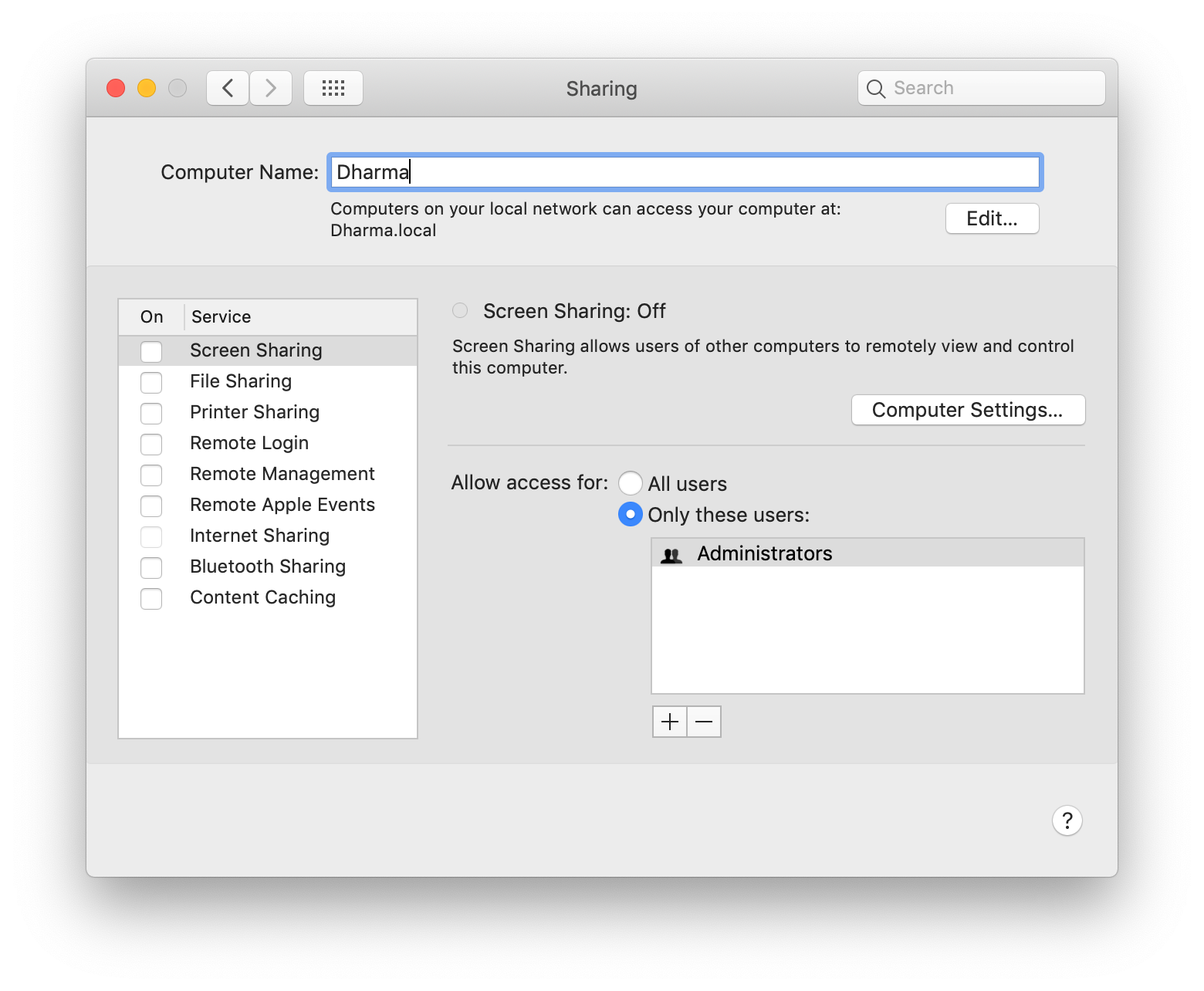
Change computer name
System Preferences → Sharing
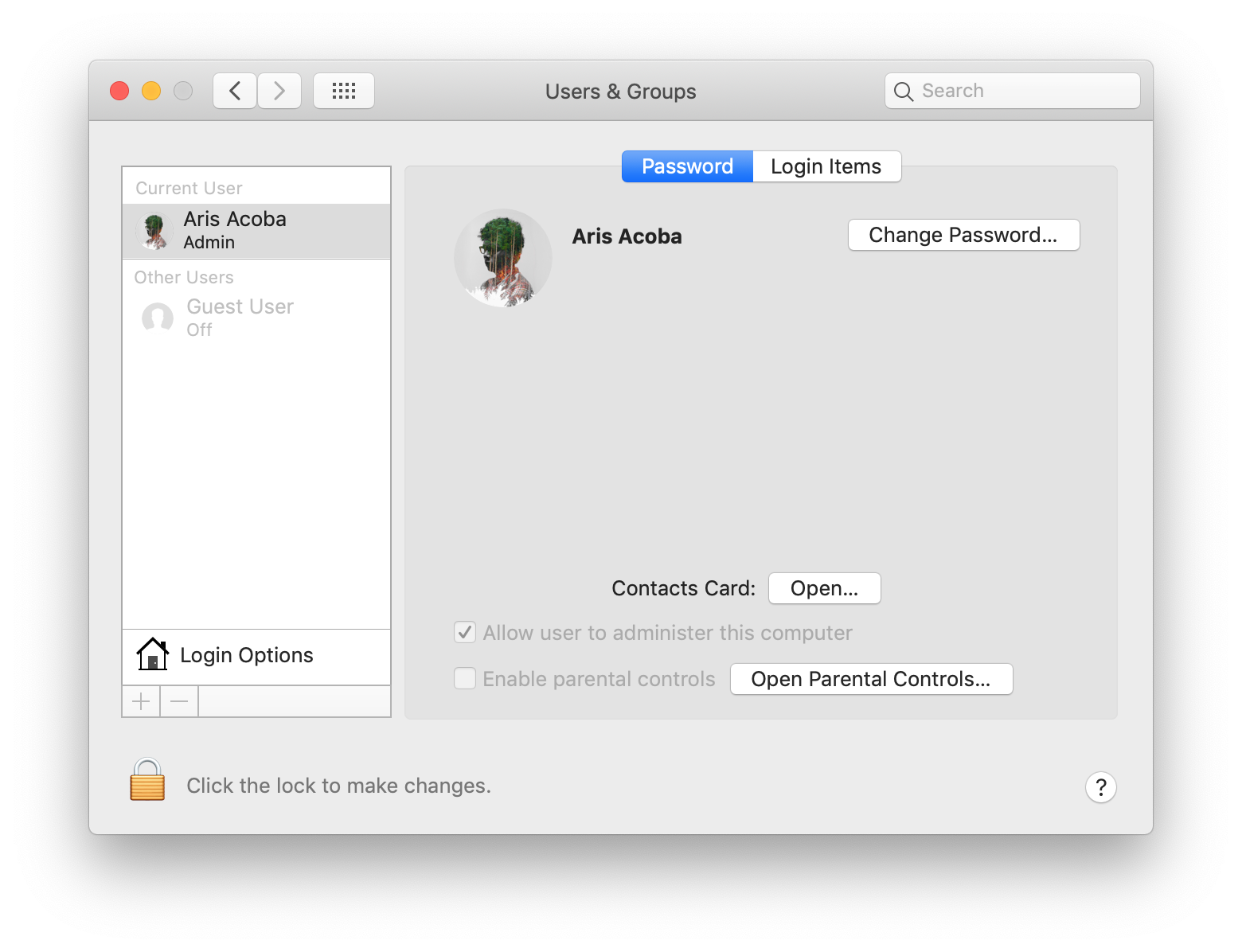
Change user avatar
System Preferences → User & Groups
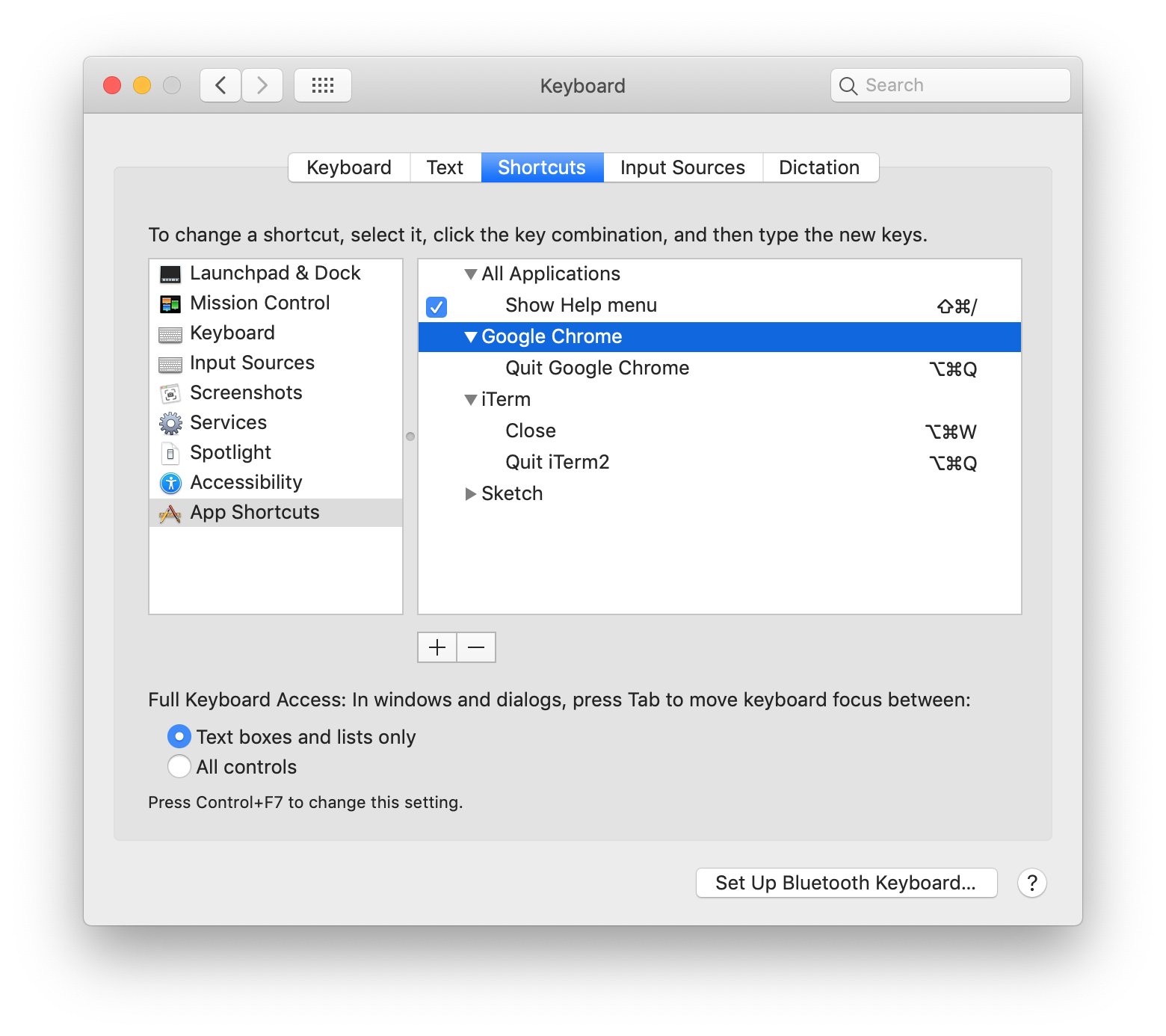
Keyboard app shortcuts
System Preferences → Keyboard → Shortcuts
Google Chrome and iTerm2: to lessen the probability of accidental quitting the application
Trackpad configuration
System Preferences → Trackpad


System Preferences → Accessibility → Mouse & Trackpad

Mouse configuration
System Preferences → Mouse

Open Spotify only on the second desktop
On dock → Right-click Spotify → Options → This Desktop

Terminal Configuration
-
Install Homebrew
-
Install zsh
$ brew install zsh -
Install oh-my-zsh
-
Configure ~/.zshrc
-
Install yarn
brew install yarn -
Configure ~/.vimrc
Made by @aris_acoba
2021 • aris.acoba@gmail.com Updated Mar 2021
This page is also available in Notion